
How to Connect Multiple Bluetooth Speakers and Headphone to One Phone
Do you know connecting more than one Bluetooth devices with a smartphone was like a dream but with the help of continuous advancement in Bluetooth technology now it is possible to do so.
Why to Connect More Than One Bluetooth Speakers?
The reason why to connect more than one Bluetooth device with a smartphone is to enhance a surround sound experience for a comparatively large audience or to share audio content with someone else in the same place.
How to Connect More than One Bluetooth Speaker with a Smartphone?
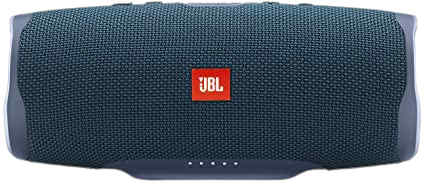
We have selected the JBL Bluetooth speaker for the best quality sound and bass. It is a lightweight portable speaker with the unique feature of connecting simultaneously to one smartphone. Please follow these steps in order to connect more than one JBL Bluetooth speaker with any device like Android phones, laptops, iPhones, and other pairing devices.
Step 1
Make sure both your JBL Bluetooth speaker and smartphone are not connected to other Bluetooth devices.
Step 2
Turn on your JBL Bluetooth speaker and press the pairing mode one. In many JBL Bluetooth speakers, it is the Bluetooth icon. Press it until it starts blinking which means the pairing mode is now turned on. In case of any issue always refer to your device manual.
Step 3
Grab your smartphone and check the JBL Bluetooth speaker’s signal.
Step 4
On your smartphone access the Bluetooth option and tap “search for devices”. It may be noted that this step may differ from the brand, model, and Bluetooth device you are using.
Step 5
After a few seconds, you’ll find the JBL Bluetooth speaker on the list. Please tap it and your smartphone will start connecting to the Bluetooth speaker. Once it is connected try playing any audio content.
Step 6
Since your first JBL Bluetooth speaker is up and running now it is time to connect another JBL Bluetooth speaker by turning it on.
Step 7
Press connect button of both JBL Bluetooth speakers simultaneously. Make sure to press connect button at the same time.
Step 8
After a few seconds both JBL Bluetooth speakers will be connected to the same smartphone playing the same audio content.
Conclusion
No doubt in order to have the best sound quality and rich audio experience you need to choose the best Bluetooth speakers.
Bluetooth speakers are being used very commonly these days because of so many reasons like lightweight, affordability, and portability. Get the list of 5 best affordable Bluetooth Speakers Under $100
This site is owned and operated by Tech110 Solutions. The contents of this site are for informational purposes only. While we work hard to provide useful and accurate information, errors may appear from time to time. Before taking action on the information you found here, be sure to confirm any facts that are important before making any decision. Tech110 Solutions makes no warranty as to the reliability, accuracy, timeliness, usefulness, or completeness of the information on tech110solutions.com. Tech110 Solutions and its sites are not responsible for, and cannot guarantee the performance of, goods and services provided by our advertisers or others to whose sites we link. A link to another website does not constitute an endorsement of that site (nor of any product, service, or other material offered on that site) by Tech110 Solutions or its licensors.
Tech110 Solutions participates in the Amazon Services LLC Associates Program, which is an affiliate advertising program designed to provide a means for websites to earn advertising fees by advertising and linking to amazon.com.